{"type":"img","src":"https://cdn.quv.kr/pn74rw1dg%2Fup%2F634fb406e8a6b_1920.png","height":100}
  • Treasure시리즈 응원법
  • Fever시리즈 응원법
  • TheWorld 응원법
  • {"google":["Muli","Lexend Deca","Poppins"],"custom":["Noto Sans KR"]}
    ×
     
     
    섹션 설정
    {"type":"img","src":"//cdn.quv.kr/pn74rw1dg/up/634fb406e8a6b_1920.png","height":50}
  • Treasure시리즈 응원법
  • Fever시리즈 응원법
  • TheWorld 응원법
  •  


    Melon acct & song purchase
    멜론에서 음원 다운

    Published: November 29, 2023
    Last updated: Nov 13, 2026

    멜론에서의 스밍과 다운로드:

    모든 음악방송 반영!
    아이디 최소 3개 만들어 주세요  

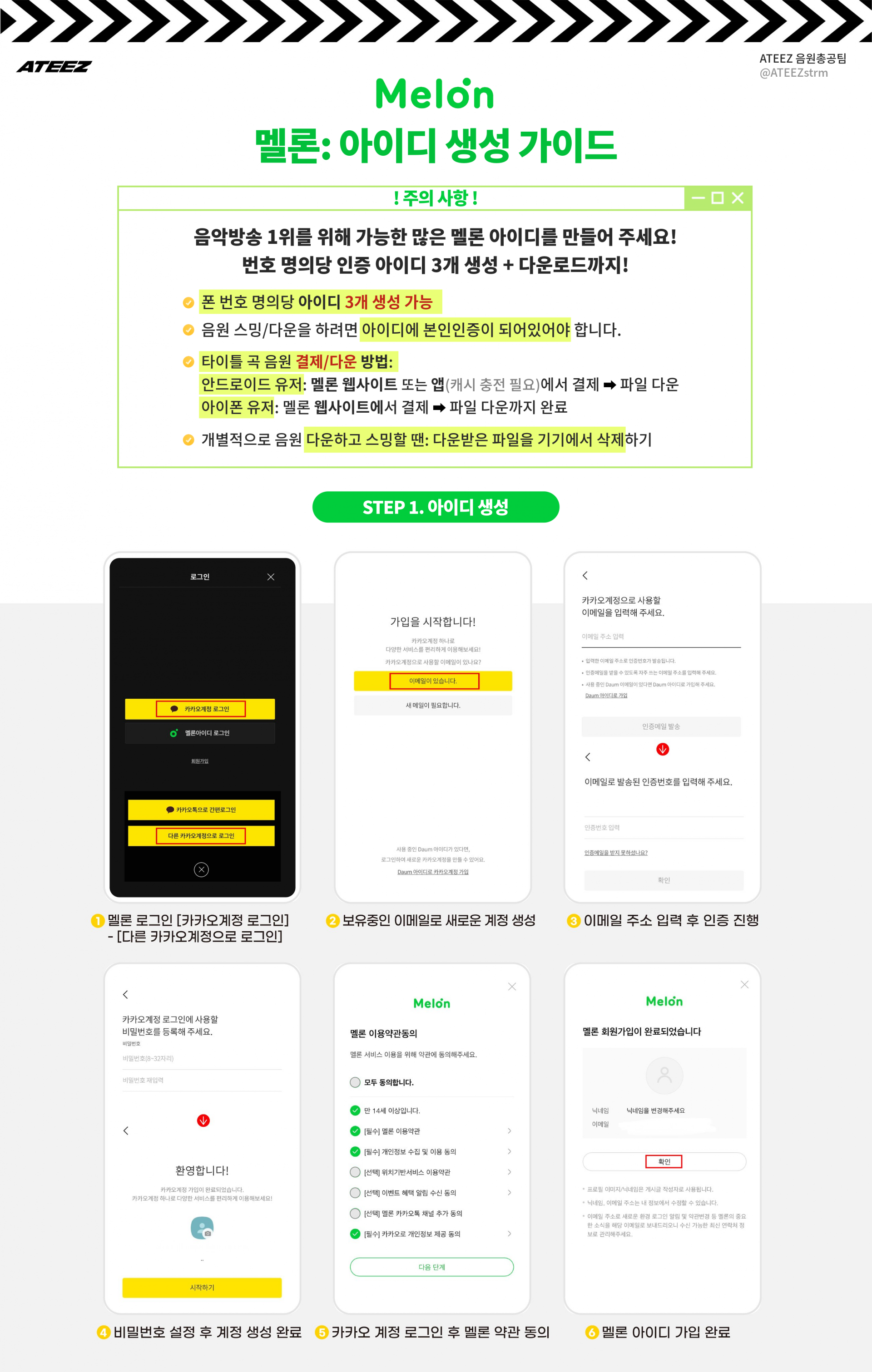
    Melon acct creation & DL for music shows


    Sign up

    1. Melon 사이트/앱 접속

    카카오 계정 생성 - 해당 카카오 계정으로 멜론 가입


    기존에 사용 중인 카카오톡 아이디도

    좋지만 가급적 멜론 전용 카카오 아이디를

    따로 만들어서 멜론에 가입해 주세요


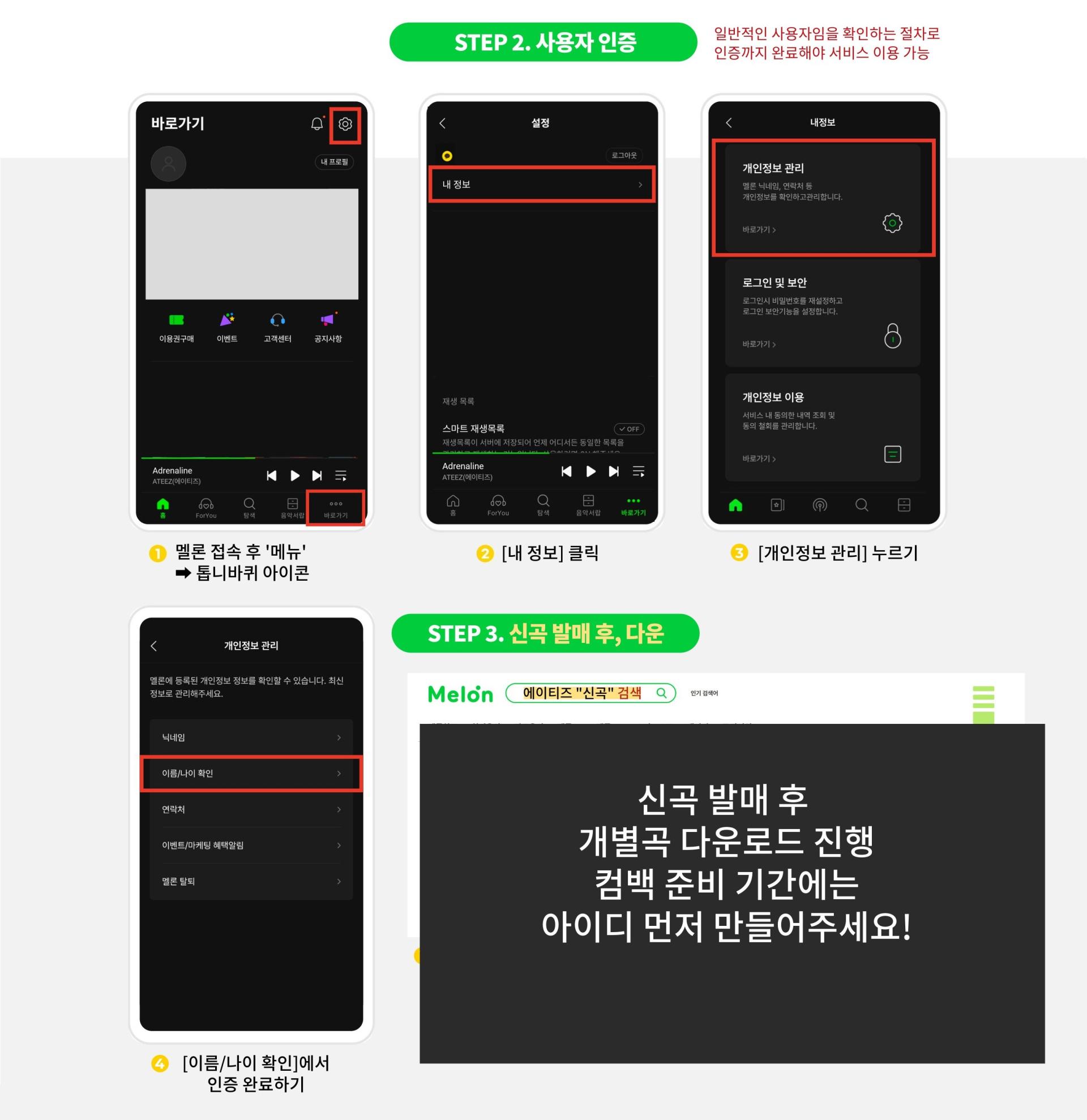
    + User verification

    + Melon 가입 후

    사용자 인증하기


    Song purchase

    2. 신곡 발매 후,
    구매, 다운로드하기


    타이틀 곡 예시: UP, Adrenaline


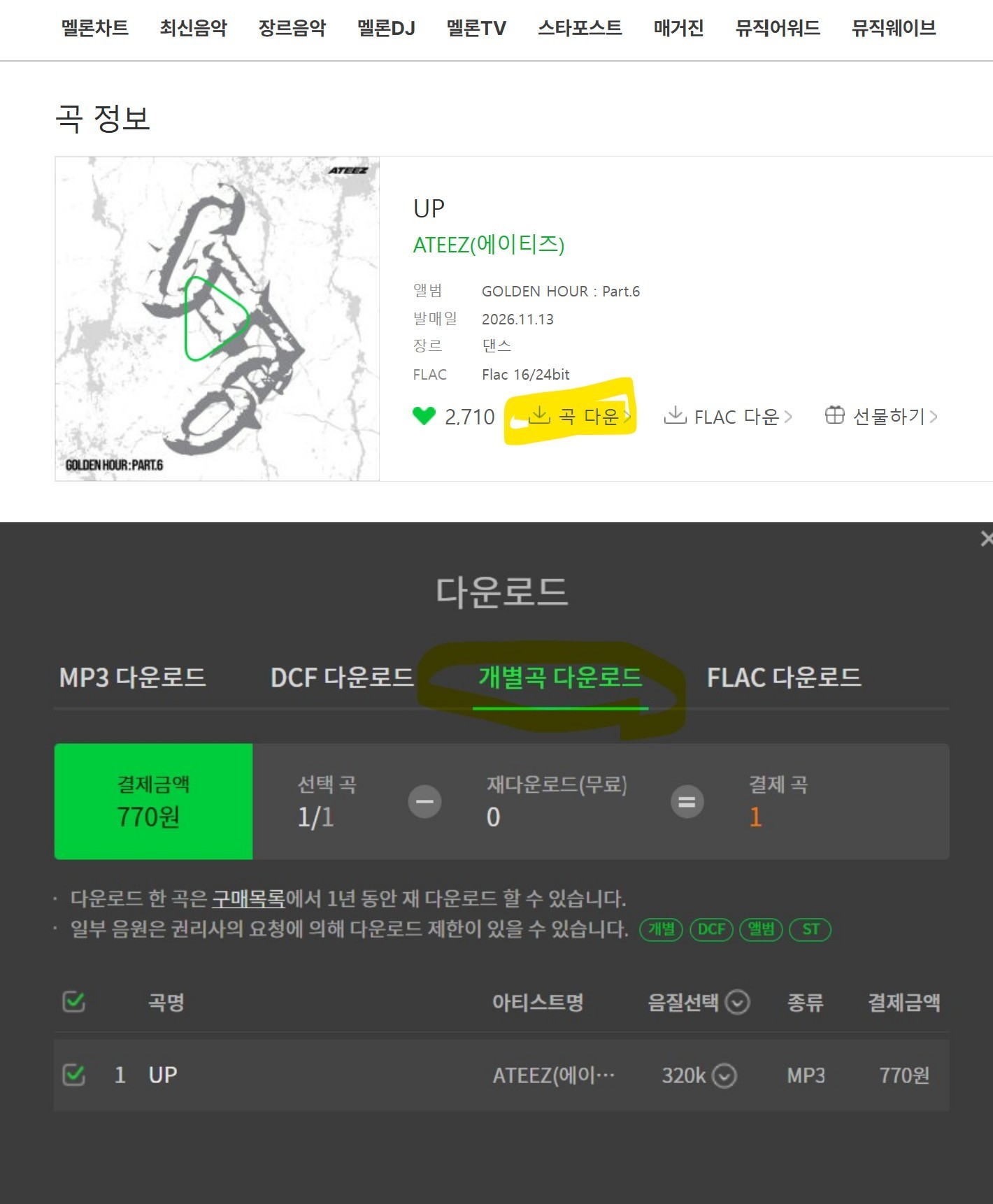
    PC로 다운받을 때: 멜론 웹사이트 접속

    타이틀 곡 검색 후, [곡 다운] 누르면
    플레이어 프로그램이 뜹니다.
    해당 프로그램에서의 안내에 따라

    개별곡 구매 - 파일 다운로드까지 완료


    멜론 안드로이드 앱으로 다운받는 법:

    (멜론 웹사이트에서 캐시 먼저 충전 후
    멜론 앱에서 개별곡 구매, 다운받는 방식)


    캐시 충전하는 곳  (눌러주세요)
     

    음악중심 실시간 문자투표 원클릭 링크
    - 문자기능이 있는 기기로 눌러야 작동
    - 클릭 한 번에 모바일기기로 HALAZIA 편하게 신청

    Award
    - 2010. Lorem ipsum dolor sit amet, nemore sapientem
    - 2012. ei qui, no pri indoctum prodesset, omnis quidam utroque nam ei.
    - 2014. Ne utamur similique repudiandae eum. Est alienum denique
    - 2018. deserunt ad. Qui te tantas omittam, alia offendit

    {"google":["Muli","Lexend Deca","Poppins","Roboto","Barlow"],"custom":["Noto Sans KR"]}{"google":["Muli","Lexend Deca","Poppins","Roboto","Barlow","Playfair Display"],"custom":["Noto Sans KR"]}
    {"google":["Poppins"],"custom":["Noto Sans KR"]}